
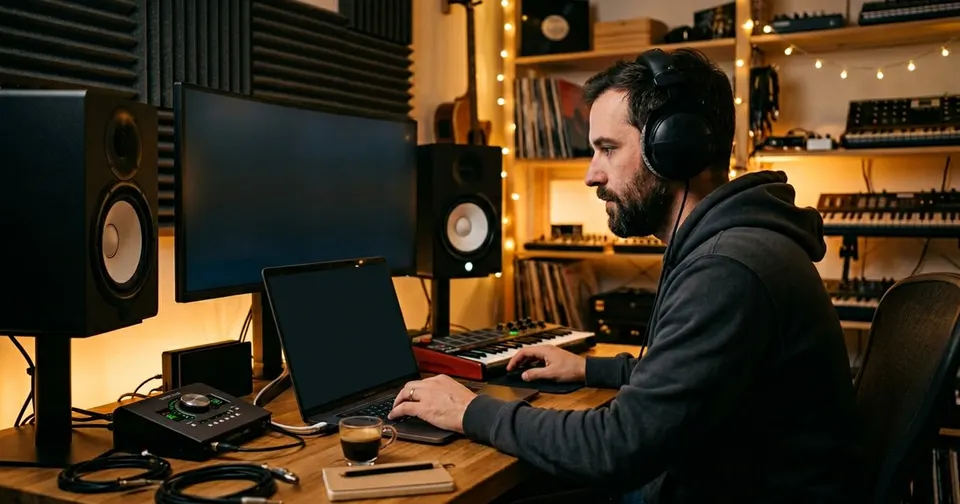
How Text to Music Works
Our text-to-music tool turns written descriptions into full music tracks using AI. You describe what you want—genre, mood, instruments, atmosphere—in plain language. For example: "Upbeat pop with acoustic guitar and warm vocals, summer vibes" or "Dark cinematic strings for a thriller." The AI generates an original track that matches your prompt. No music theory or production skills are required; the tool is built for creators, filmmakers, game developers, and anyone who needs custom music quickly.
The generator is free to use in your browser. You can create as many tracks as you like, tweak your prompt or add genre and mood tags, and download the results. Many users combine text-to-music with our AI lyrics generator: write lyrics first, then turn them into a full song with melody and production here. This workflow from text to finished track is one of the most popular ways to use our AI music suite.
Text to Music for Content Creators and YouTubers
Content creators and YouTubers often need original background music for intros, outros, vlogs, and branded content. Our text-to-music generator is built for this: you describe the vibe (e.g. "chill lofi for studying", "epic trailer music", "upbeat tech review"), and get a unique track in seconds. The music is original and free to use within our terms, so you can focus on your content instead of licensing or copyright issues. You can generate multiple versions and pick the one that fits best.
Once you have your track, you can pair it with AI-generated lyrics from our lyrics generator for full songs, or use it as instrumental backing. Many creators use text-to-music for consistent channel sound—same mood and style across videos—without hiring a producer or buying stock music.
Text to Music for Filmmakers and Game Developers
Filmmakers and game developers need custom music that fits specific scenes, characters, or moods. Our text-to-music tool lets you describe exactly what you need: "Tense orchestral build for a chase scene," "Peaceful piano for a village," or "Retro 8-bit dungeon theme." The AI produces original cues you can edit and layer. There is no need to search through royalty-free libraries; you get a track tailored to your description. Many indie teams use it for prototypes and demos before commissioning final scores.
The tool supports a wide range of genres and moods—from classical and ambient to EDM and hip hop—so you can maintain a consistent sound or experiment with different styles. You keep full creative control: the AI is a starting point, and you can regenerate until the result matches your vision.
Text to Music for Songwriters and Musicians
Songwriters and musicians can use text-to-music to quickly sketch ideas or get out of a creative rut. Describe the song you have in mind—"Melancholic ballad with piano and strings," "Funky bass-driven groove," or "Minimal electronic with arpeggios"—and the AI generates a draft you can build on. You can then add your own lyrics (from our AI lyrics generator or your own), re-record parts, or use the track as a backing for live performance. The generator is especially useful for trying out genres or arrangements before committing to a full production.
Because the output is generated from your text, you can iterate fast: change a few words in your prompt and get a new variation. Many artists use it as a brainstorming partner—generating several drafts, picking the best elements, and then refining in their DAW or with our other AI music tools. The result is original music that still feels true to your vision.

Showcase: Example Outputs from Text to Music
The text-to-music generator can produce a wide range of styles, from progressive house and lofi to neo-soul and folk. Example outputs include tracks like "Progressive House Anthem", "Cold Mysterious Lofi", "Neo-Soul R&B Groove", and "Chill Folk-Country"—each generated from simple text prompts. You can try similar descriptions in the generator above; the AI often produces different variations each time, so you can run it multiple times until you find a track you like. All showcase tracks are for demonstration and can be replaced by your own prompts and settings.
We recommend experimenting with genre and mood tags to steer the output. For instance, "EDM" plus "Festive" tends to yield upbeat club-style tracks, while "Folk" plus "Gentle" often produces acoustic, relaxed music. The generator is free, so you can explore as many combinations as you need. Once you have a track you are happy with, you can combine it with our AI lyrics generator to add vocals and complete your creative workflow from text to song.
Frequently Asked Questions About Text to Music
What is text to music?
Text to music is an AI feature that turns a written description into a full music track. You describe the genre, mood, instruments, or atmosphere in words, and the AI generates an original song that matches your prompt. No musical training or production software is required.
Is the text-to-music generator free?
Yes. You can use the text-to-music generator for free in your browser. You can create multiple tracks, change your prompt or tags between runs, and download the results. Some advanced features or higher limits may be available on paid plans.
How do I get the best results from text to music?
Be specific in your prompt: include genre, mood, instruments, and atmosphere (e.g. "Upbeat pop with acoustic guitar and warm vocals, summer vibes"). Use the genre and mood tags to reinforce your description. You can also try "instrumental only" if you want a track without vocals. Generating a few variations and picking the best one often yields the best result.
Can I use text-to-music with the AI lyrics generator?
Yes. Many users create lyrics with our AI lyrics generator, then turn them into a full song with melody and production using the text-to-music or AI music generator. This end-to-end workflow from text to finished track is one of the most popular ways to use our tools.